
Reading diary for iPhone and Android
Your reading nook.
Kapi keeps you company while you read. It doesn’t keep score.
Log your page from your home screen. Your streak and your covers, always in sight.


- Free, with no ads
- In Catalan, Spanish and English
- Works offline
Log from your home screen.
Your book and your streak, on your home screen. Tap “Today”, Kapi opens with your page filled in, and save. Two taps.
Before logging
After
- “Today” opens the sheet to log, with your page already filled in.
- The book opens its details.
- Your streak opens your calendar.
- Each day opens what you read that day.
All five widgets, on iPhone (iOS 17 or later) and Android.
Tuesday, rest. Wednesday, 30 pages. Your streak carries on.
You choose how many days a week you want to read, from 1 to 7. Days off that fit in your week are rest days, so your streak doesn’t break.
- Monday18 pages
- TuesdayRest day
- Wednesday30 pages
- Thursday12 pages
- Friday25 pages
- SaturdayToday, still to log
- SundayStill to come
Every day you read leaves its cover.
By the end of the month, the calendar is a shelf of what you read: which days, how many pages and which books you finished.
Four stars. On fire. It wrecked me.
Rate every book with stars, spicy and tears, in quarters. And every level has its own word.
I cried at the last chapter and wanted to go straight back to the lighthouse. I already miss it.
A look inside Kapi.
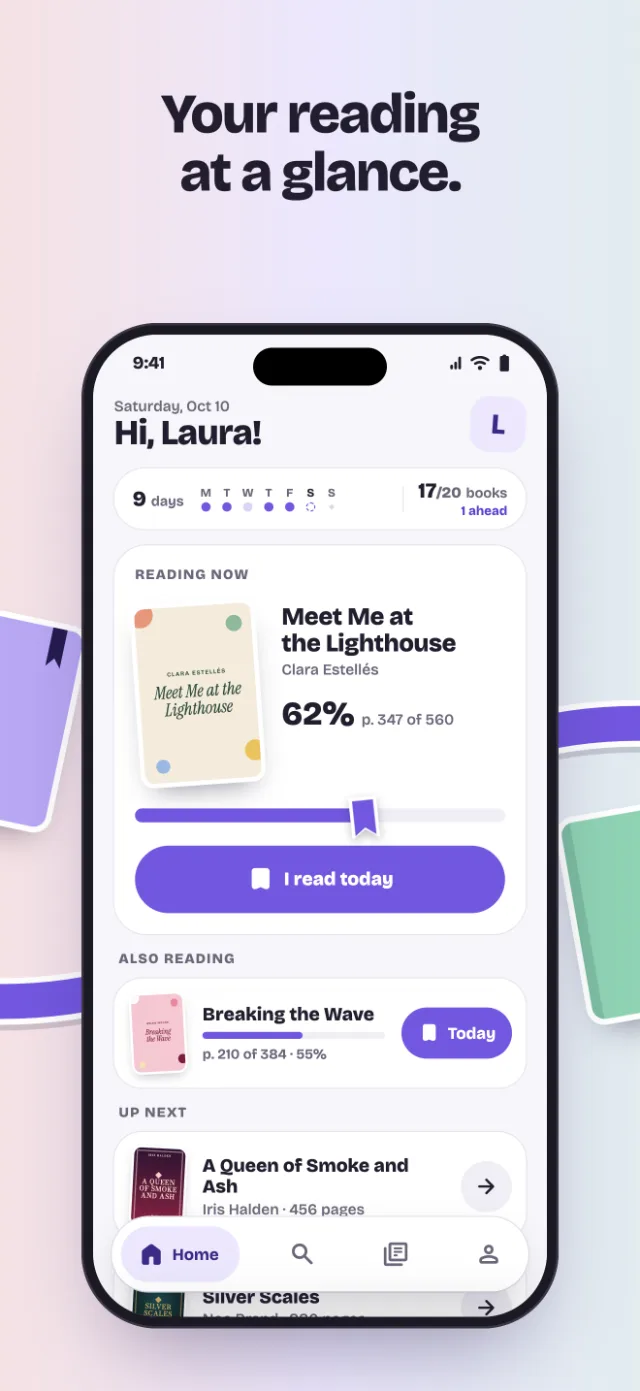
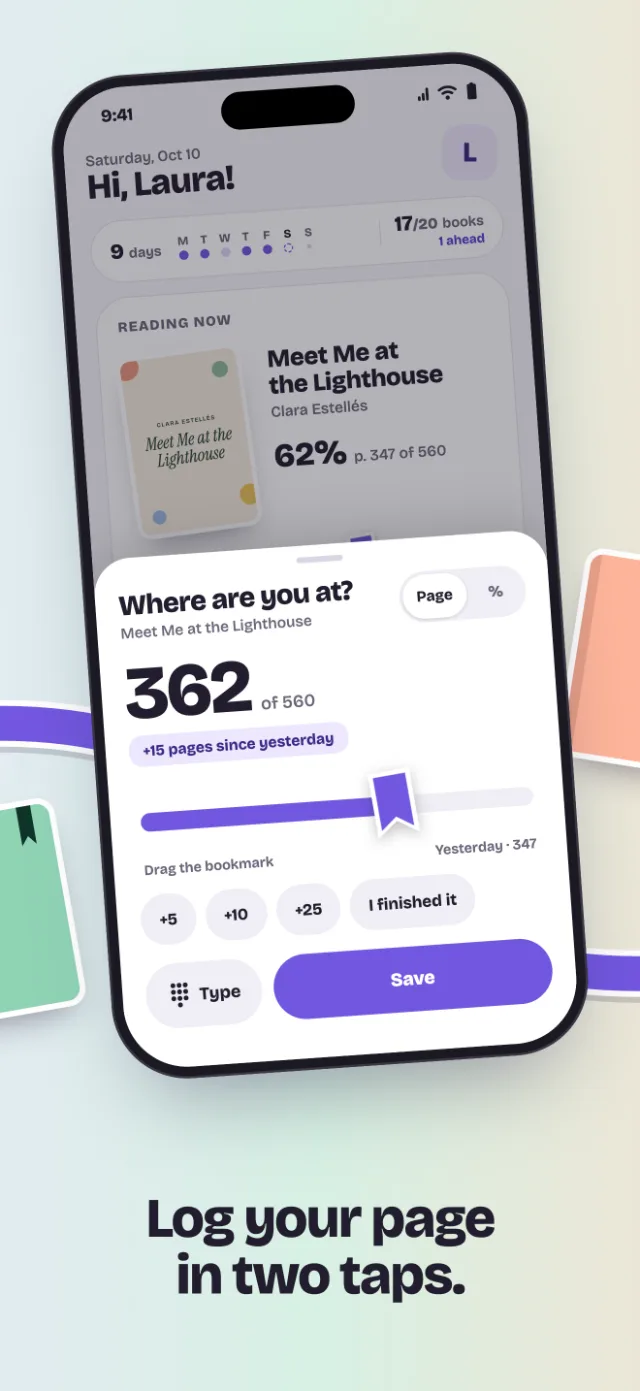
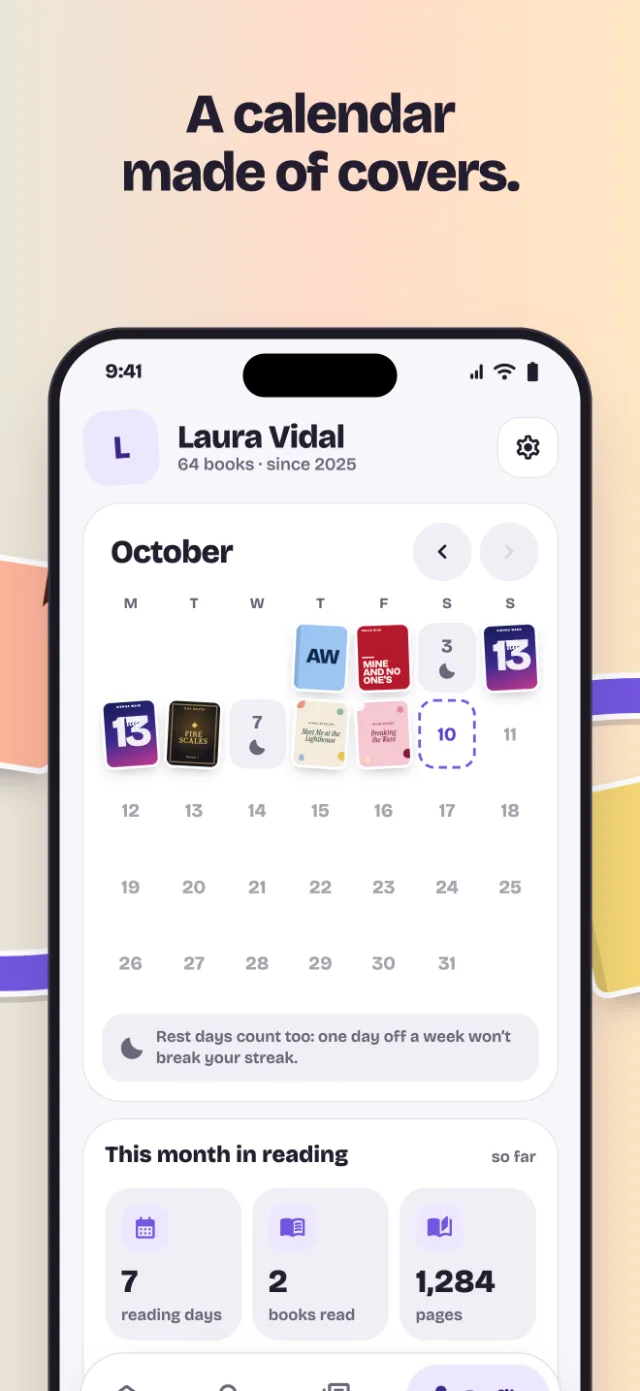
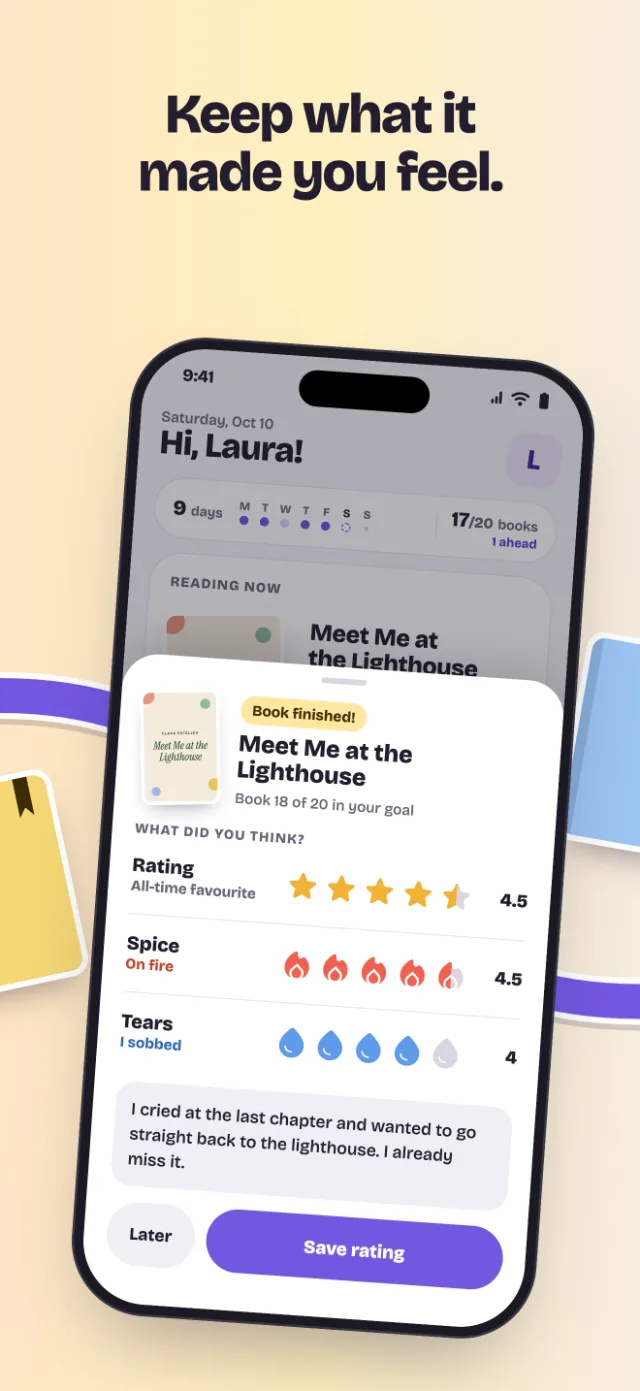
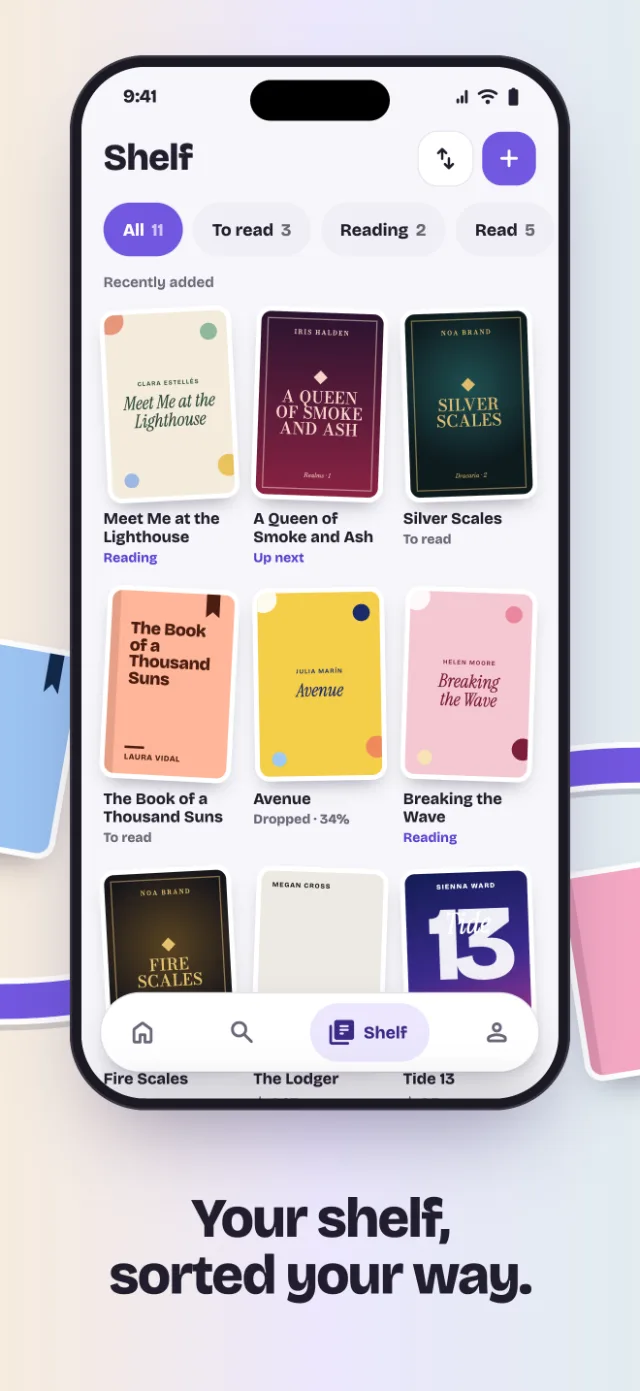
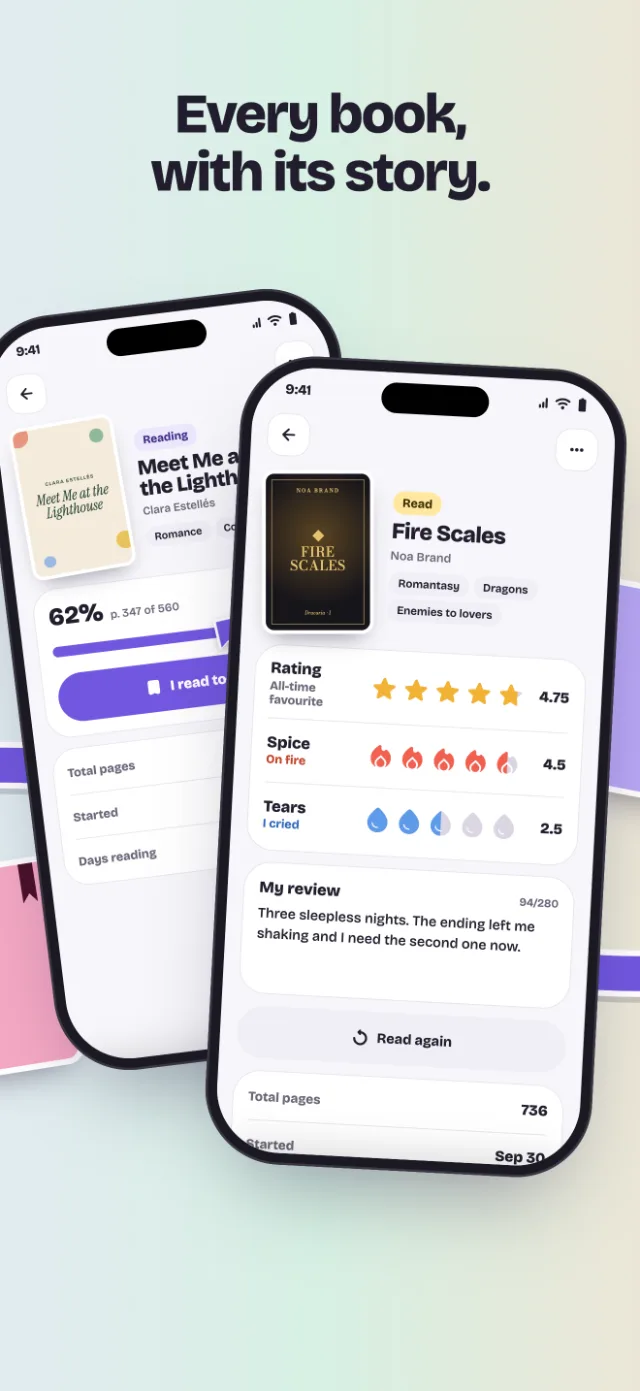
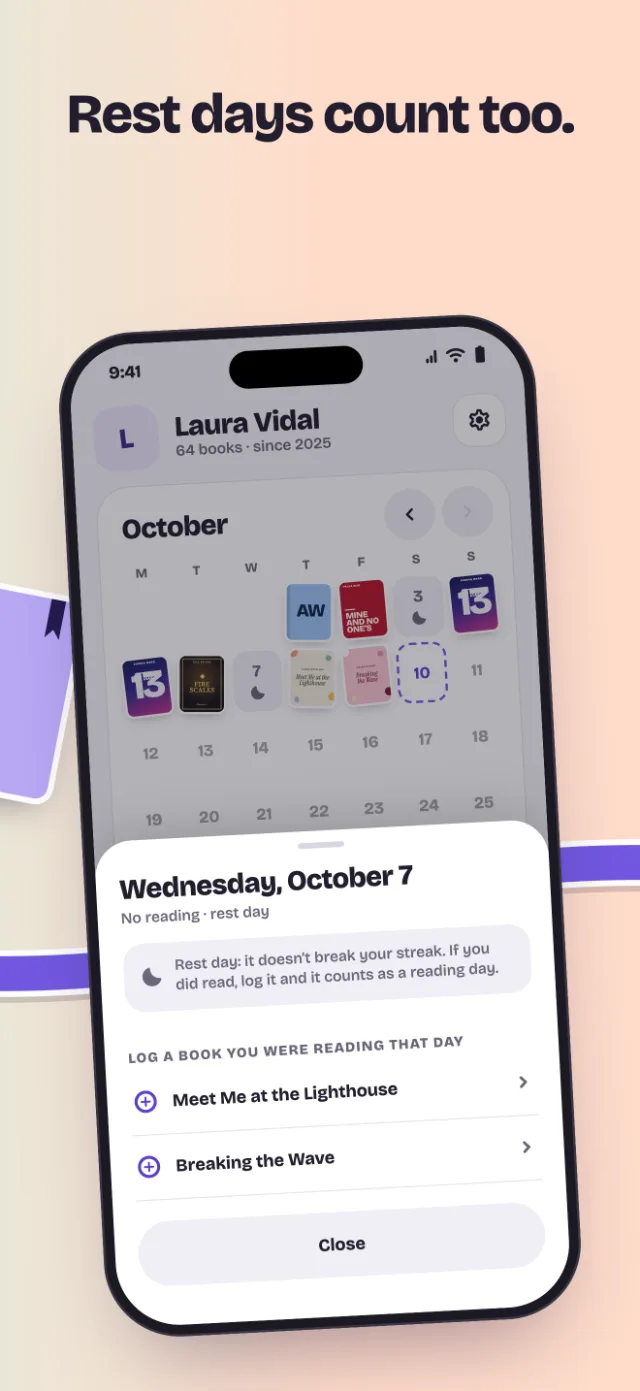
Nobody counts minutes here, no one tells you off for a day without reading, and there’s no one to compare yourself with. You read when you can, and every page counts.
FAQ
Is Kapi free?
Yes, and with no ads. Later on there’ll be Kapi+, optional, for anyone who wants more.
Does it work offline?
Yes. What you log is saved on your phone and syncs when you’re back online. You only need a connection to search the catalogue.
Can I bring my books from Goodreads or another app?
Yes, from Goodreads, StoryGraph, Mistbook or Bookmory: in the app, in Profile → Settings → Bring your library. And whenever you like, you can take it with you as a CSV file. Coming from another app? Write to us and we’ll take a look.
How do I add a book by scanning it?
Scan the barcode and up comes that edition. Seen it in a bookshop or on TikTok? Take a photo of the cover, or use a screenshot, and tap the title.
Can I set a reading challenge?
Yes. Pick how many books you want to read this year and change it whenever you like. Kapi tells you if you’re ahead or on track, and keeps every year’s challenge in “Your challenges”.
What is Spicy?
One of the ratings for each book, alongside stars and tears: how spicy it is. You rate it in quarters, and each level has its own word, from “A hint” to “On fire”.
Who can see my collections?
Only you, until you make one public. Then anyone with its link can see it: the name, the books and your profile name; never your pages, notes or ratings. You can make it private again whenever you like.
Can I share a collection with someone who doesn’t have Kapi?
Yes. Its link opens the collection in the browser, with its covers and books. If they have Kapi, they can save it with one tap and see the books you add. You can also share it as an image or print it on an A4 with its QR code.
Which phones does it work on?
iPhone with iOS 15 or later (widgets from iOS 17) and Android 7 or later.
Does Kapi keep the photo when I scan a book or its cover?
No. With the barcode, the camera only reads the number (the ISBN) to find that edition. With a photo of the cover or a screenshot, the text is read on your phone and only the title you pick is sent. The image never leaves your phone.
Can I change what my reader card shows?
Yes. Open your card from your Profile or Home and tap Edit: choose the design, the photo (colour, black and white or none), which details it shows and a line of your own.
What do you do with my data?
Only what the app needs to work. No advertising, no analytics and nothing sold. It’s all in the privacy policy.
How do I delete my account?
From the app, in Profile → Settings → Delete account, or by writing to us.
Start your streak today.
Kapi is free on iPhone and Android.
- Free, with no ads
- In Catalan, Spanish and English
- Works offline
 Or scan the code with your phone.